
Custom Claude Code Statusline
My custom single-line statusline for Claude Code with context bar, model info, git branch, and tab title status indicators
This is how my statusline looks like:

Shows model name (and subagent if active), current directory, git branch, and a color-coded context window bar — all in one line.
The context bar changes color as usage grows: grey up to 60%, amber from 61-80%, red at 81%+. The bar also shows the total context window size (200K, 1M, etc.) so it’s immediately clear which model variant is active.
Important: keep output to a single line. Claude Code uses the second status line row for background task buttons and system notifications. If your script outputs two lines, those UI elements disappear.
Save to ~/.claude/statusline-command.sh:
#!/bin/bash
input=$(cat)

MODEL=$(echo "$input" | jq -r '.model.display_name')
AGENT=$(echo "$input" | jq -r '.agent.name // empty')
DIR=$(echo "$input" | jq -r '.workspace.current_dir')
PCT=$(echo "$input" | jq -r '.context_window.used_percentage // 0' | cut -d. -f1)
CTX_SIZE=$(echo "$input" | jq -r '.context_window.context_window_size // 0')

CYAN='\033[36m'; YELLOW='\033[33m'; RED='\033[31m'; RESET='\033[0m'

# format context window size: show in K or M
if [ "$CTX_SIZE" -ge 1000000 ]; then
  CTX_LABEL="$(echo "$CTX_SIZE" | awk '{printf "%dM", $1/1000000}')"
elif [ "$CTX_SIZE" -ge 1000 ]; then
  CTX_LABEL="$(echo "$CTX_SIZE" | awk '{printf "%dK", $1/1000}')"
else
  CTX_LABEL="${CTX_SIZE}"
fi

# pick bar color based on context usage
if [ "$PCT" -ge 81 ]; then BAR_COLOR="$RED"
elif [ "$PCT" -ge 61 ]; then BAR_COLOR="$YELLOW"
else BAR_COLOR='\033[90m'; fi

FILLED=$((PCT / 10)); EMPTY=$((10 - FILLED))
BAR=$(printf "%${FILLED}s" | tr ' ' '█')$(printf "%${EMPTY}s" | tr ' ' '░')

BRANCH=""
git rev-parse --git-dir > /dev/null 2>&1 && BRANCH=" | $(git branch --show-current 2>/dev/null)"

MODEL_DISPLAY="$MODEL"
[ -n "$AGENT" ] && MODEL_DISPLAY="$MODEL / $AGENT"

# single line only — second line is reserved for background tasks UI
echo -e "${CYAN}[$MODEL_DISPLAY]${RESET} ${DIR##*/}$BRANCH ${BAR_COLOR}${BAR}${RESET} ${PCT}%/${CTX_LABEL}"Add to ~/.claude/settings.json:
{
  "statusLine": {
    "type": "command",
    "command": "bash ~/.claude/statusline-command.sh"
  }
}Check out the official statusline docs for all available options and fields.
Tab title status indicators
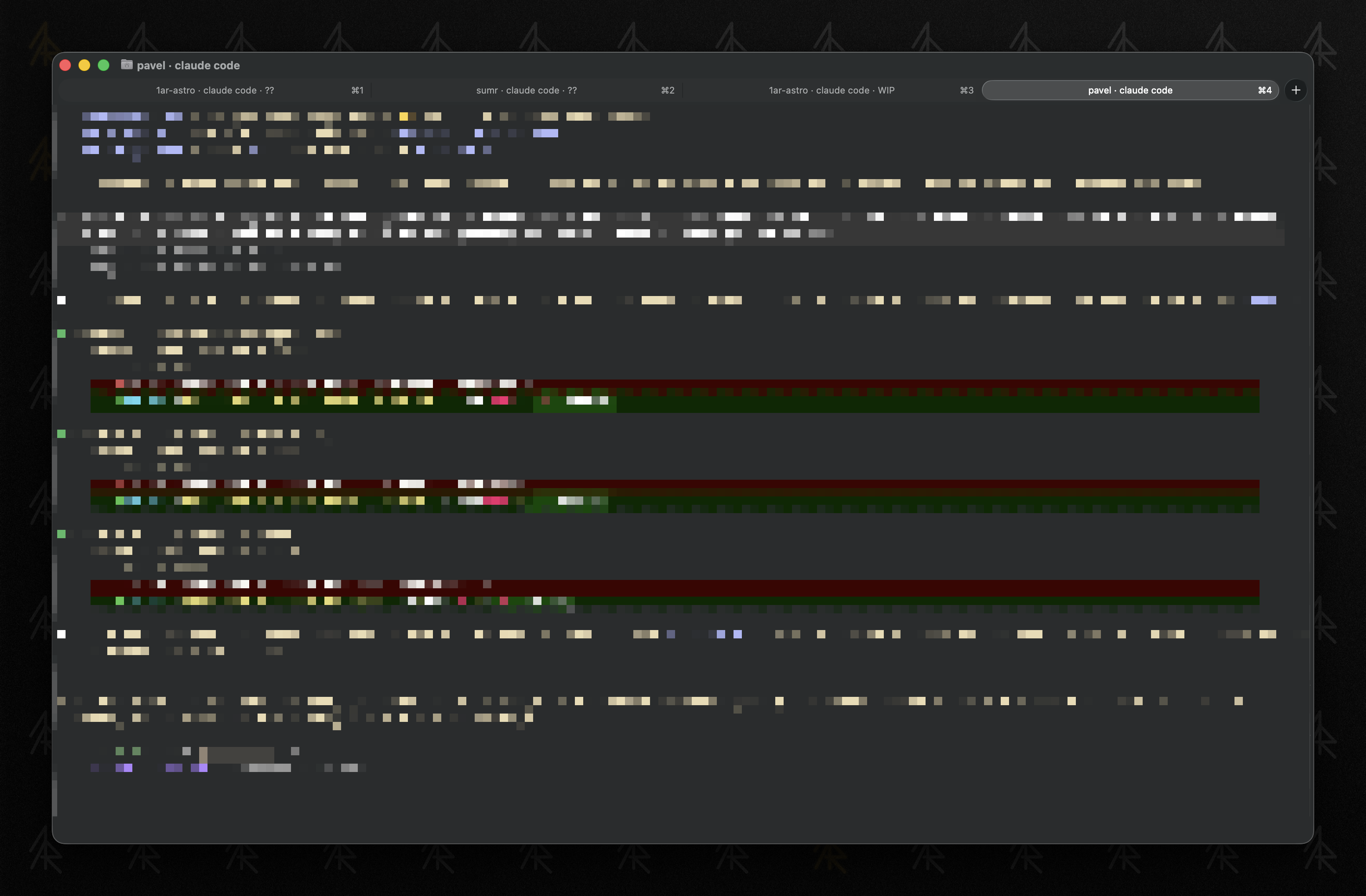
Using Claude Code hooks, the terminal tab title can reflect what Claude is doing: working, waiting for input, or idle. Useful when you have multiple Claude Code sessions in different tabs.
| State | Hook event | Tab title |
|---|---|---|
| Working | PreToolUse | <folder> · claude code · WIP |
| Needs input | Notification | <folder> · claude code · ?? |
| Idle | Stop | <folder> · claude code |
Save these three scripts to ~/.claude/hooks/:
working-tab.sh:
#!/bin/bash
printf '\033]0;%s · claude code · WIP\007' "${PWD##*/}" > /dev/ttynotify-tab.sh:
#!/bin/bash
printf '\033]0;%s · claude code · ??\007' "${PWD##*/}" > /dev/ttyidle-tab.sh:
#!/bin/bash
printf '\033]0;%s · claude code\007' "${PWD##*/}" > /dev/ttyAdd hooks to ~/.claude/settings.json:
{
  "env": {
    "CLAUDE_CODE_DISABLE_TERMINAL_TITLE": "1"
  },
  "hooks": {
    "PreToolUse": [
      {
        "hooks": [
          {
            "type": "command",
            "command": "bash ~/.claude/hooks/working-tab.sh",
            "async": true
          }
        ]
      }
    ],
    "Notification": [
      {
        "hooks": [
          {
            "type": "command",
            "command": "bash ~/.claude/hooks/notify-tab.sh",
            "async": true
          }
        ]
      }
    ],
    "Stop": [
      {
        "hooks": [
          {
            "type": "command",
            "command": "bash ~/.claude/hooks/idle-tab.sh",
            "async": true
          }
        ]
      }
    ]
  }
}CLAUDE_CODE_DISABLE_TERMINAL_TITLE prevents Claude Code from overriding the tab title with its own default. The > /dev/tty redirect is required because async hooks run detached from the terminal — without it, the escape sequence goes nowhere.
Note: this is slightly flaky — the title updates don’t always fire reliably for every state transition, but it works well enough to be useful at a glance.